Loading
Door-to-door WiFi rental in four steps. No contracts, no installers, no equipment to buy.
Choose a kit, your rental dates, and a data plan. Checkout takes a couple of minutes.
Your kit arrives before your rental starts, charged, configured, and ready to go, with the return label already in the bag.
Set the dish under open sky, plug it in, and join the WiFi network printed on the kit. Setup takes about 10 minutes.
When your rental ends, pack the kit in the same LimeLoop bag, attach the prepaid label, and put it in any FedEx drop box.
We ship every kit to arrive before your rental start date, so you have time to unpack and test it. It travels in a reusable LimeLoop bag that goes back with the kit through any FedEx drop box. Your rental days are counted from rental start to rental end.
Shipping is a separate charge from the rental, priced live to your address at checkout before you pay. One round-trip charge covers both directions, so the prepaid return label in the bag costs you nothing extra at drop-off. Overnight shipping is quoted live when your dates are tight.
Near Denver? Skip shipping and grab your kit in person, during the pickup and return windows you choose at checkout. Same kit, same setup, no shipping either direction.
Pickup in Denver, CO
We will send you the exact address, the door instructions and a directions link with your booking confirmation.
You choose a data plan at booking, sized to your trip. Service runs automatically up to your included data, and we text or email as you approach the limit. If you hit the cap, open internet pauses but you are not cut off: messaging keeps working and the network page stays reachable, where you can add more data in one tap, charged to the card on file. There are no surprise bills mid-trip. For US rentals, any usage beyond your plan and top-ups is billed at $0.75 per GB after the kit comes back, against the card you used at checkout. International coverage is available at global rates when you book.
Every kit broadcasts its own WiFi network, and there is no password to find. Join it and a sign-in page appears on its own.
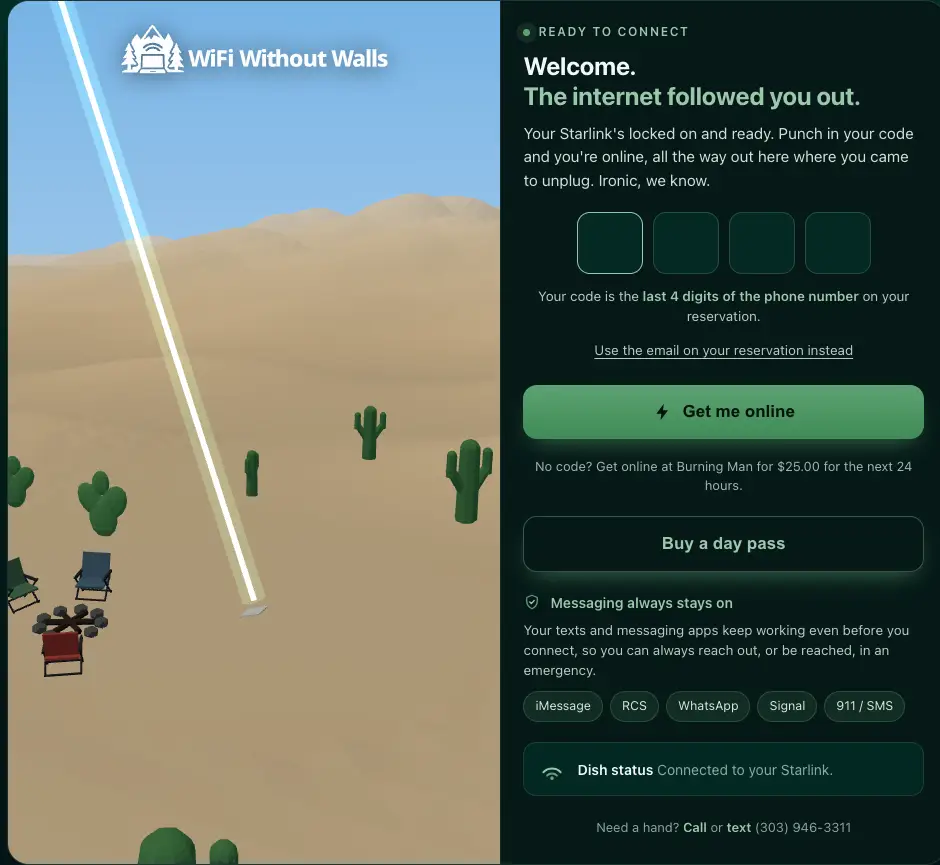
Your code is the last 4 digits of the phone number on your reservation
No phone number on the reservation? The page accepts the reservation email instead. Everyone in your group types the same code on their own device, and your connection does not depend on theirs.
Messaging works before you connect, and stays on
iMessage, RCS, WhatsApp, Signal and SMS are all reachable from the moment you join the network, 911 texts included. Running out of data never takes messaging away either.
Once you are through, the same page is your dashboard for the rest of the rental:
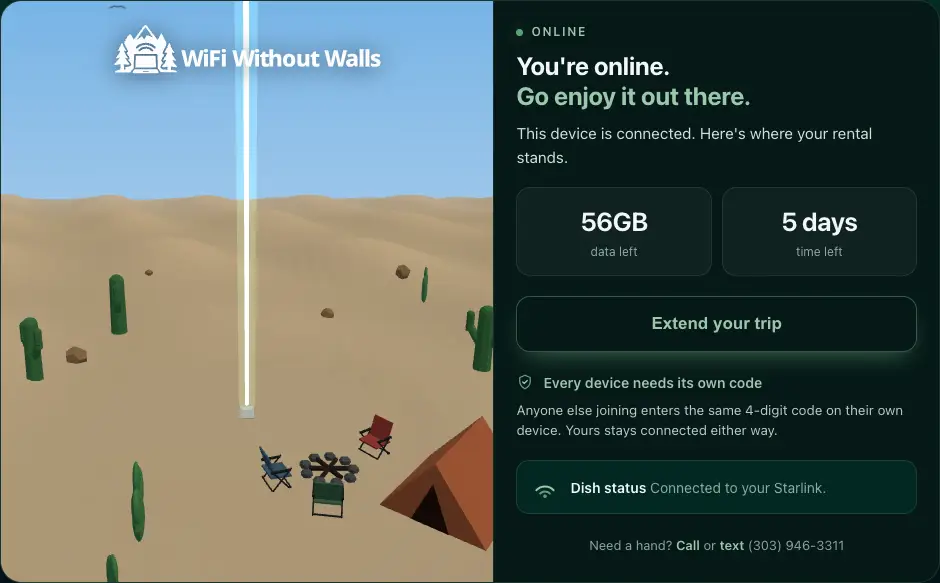
How much data and how many days your rental has left, every time you open the page.
When data runs low, add more right on the page with your 4-digit code, charged to the card already on file.
Add days at the same daily rate without calling anyone. If the dish is already rented after your dates, the page says it is unavailable instead of taking the booking.
Create a separate network with a password or no sign-in page. The network on the card stays ready for everyone else.
With more than one dish, the page lists each one and how it's doing.
Sign-in attempts are listed, so you can see when someone in your group has typed the wrong code.
If the connection is poor, the page shows the dish's own view of the sky, so you can move it somewhere with a clearer line to the satellites. Errors come with a full diagnostic readout you can send to support.
Bringing the kit to an event? It can share
When your dish is inside an event we know about, during the dates that event runs, a sharing switch appears on your reservation. Turn it on and guests around you can buy a day pass with a card, right on the same sign-in page, without ever touching your reservation. Your own service is never slowed or interrupted, you keep a share of every sale, and your share lands as credit on this rental, never as a cash payout. Away from a known event, sharing stays off.
There is more to this page than fits here, including why it works with no internet at all and how the campsite is drawn. The sign-in page that lives on your dish is the whole story.
Every rental carries a refundable equipment deposit of 50% of the equipment rental price. The deposit is charged as part of your checkout payment, not held as a pending authorization that your bank shows in limbo. After the equipment is returned and passes inspection, we refund the deposit to your original payment method.
Call or text (303) 946-3311 or email support@wifiwithoutwalls.com before, during, or after your rental.