Starlink Rental for Mountain Cabins & Airbnbs
The listing said WiFi. The listing was optimistic. Bring your own and stop gambling the week on someone else's router.
Mountain rentals are the one place people assume connectivity is handled, and the one place it routinely is not. A listing says WiFi, and what shows up is a satellite plan from 2014, a capped hotspot, or a router two floors away through log walls. Forty-five minutes from a real town there is often no 5G to fall back on either.
A rented Starlink kit takes the question off the table. Set it outside with a view of the sky, and the cabin gets fast internet that belongs to you for the week: your calls, your streaming, your kids' tablets, on a connection nobody else in the house is sharing.
Do not trust the listing
Cabin internet is the most oversold amenity in vacation rentals. Bring a connection you control instead of finding out at check-in.
Works where cell does not
Valleys and canyons kill cell signal, so a hotspot is no backup. The dish talks to satellites, not towers.
Ship it to arrive with you
Send the kit to your home before you leave, or ahead to the rental with the host's okay. It goes back with the prepaid return label.
Recommended kit
Starlink Mini Kit
It packs in a laptop-sized case, runs off a normal outlet at the cabin, and covers a whole house full of people for the week.
Frequently asked questions
- Do I need the host's permission?
- For a dish you set outside and take with you, generally no more than you would for any gear you bring. Tell the host if you plan to have it shipped to the property, or if you want to place it anywhere permanent. Nothing is drilled or attached.
- Where do I put it at a cabin?
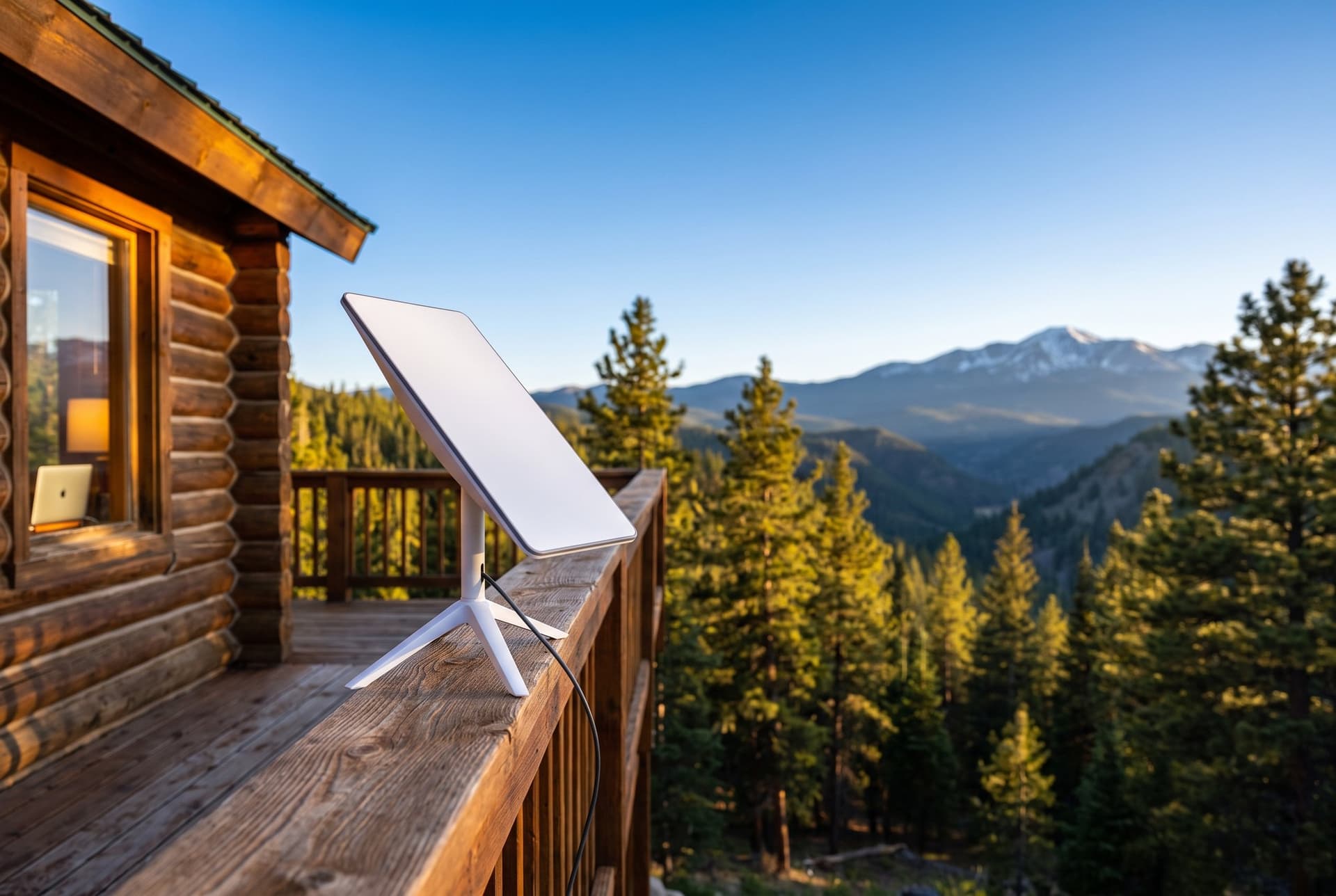
- Anywhere with a clear view of the sky: a deck railing, a patio table, or the ground away from the roofline. Trees are the usual obstacle in the mountains, so pick the most open spot you can reach with the cable.
- Can it cover the whole house?
- The kit's WiFi covers a typical cabin from a central spot. For a big or multi-level place, add an access point at checkout to push the signal further.
- How hard is setup when I arrive?
- Setup takes about 10 minutes: place the dish with a clear view of the sky, plug in the power, and connect to the WiFi network printed on the kit. No technician, no account setup.
- What if I use more data than my plan includes?
- You pick a data plan at booking. If you hit the cap, open internet pauses but messaging and the network sign-in page keep working, and you can add more data in one tap, charged to the card on file. For US rentals, any usage beyond your plan and top-ups is billed at $0.75 per GB after your rental ends; international use bills at the global rate shown at booking. No surprise bills mid-trip.