
Selling Day Passes on Your Event Rental
How eligible rentals offer WiFi day passes, how a sale becomes rental credit, and what sharing means for your data, connection, and event's rules.
If you've rented a dish for an event, handing your reservation code to the next camp gives them access through your rental. A day pass gives a guest time-limited access on their own device instead, with a share of the sale credited to your order.
That can offset part of a rental you were paying for anyway. It also puts other people's traffic on the connection you rented for yourself. Whether to share deserves more thought than what to charge.
Check the organizer's rules before offering paid access. Our software recognizes an event location; it doesn't grant permission to trade. Burning Man, named in the screenshots below, says in its official event FAQ, "Only ice is sold in Black Rock City." The screenshots must not be taken as permission to sell WiFi there.
What you do
When your active rental matches a known event, the Share and earn controls appear on your reservation page. The card shows the preset pass duration and data allocation. Set a price within the displayed range, then choose Start sharing and earning to enable sales.
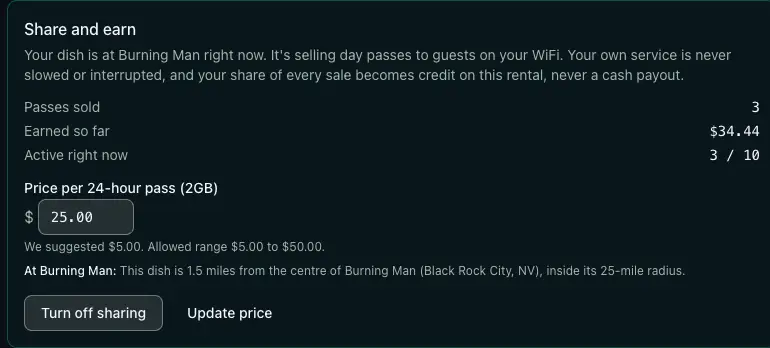
These screenshots illustrate the interface, not current prices, limits, or expected earnings. The card's "never slowed or interrupted" wording overstates the protection: guests still share the dish's connection. Keeping your own login valid doesn't reserve bandwidth for you.
Confirm the share percentage and active-pass limit for your listing before enabling it. The suggested price gives you a starting point, not evidence that anyone nearby will pay it. If their phone or the venue's WiFi already does the job, they have little reason to buy another connection.
You can also start sharing from the sign-in page on the dish itself after entering your rental code. That saves you from finding a separate connection just to manage the offer. The dish still needs working internet to reach our service; a locally loaded screen cannot complete the transaction offline.
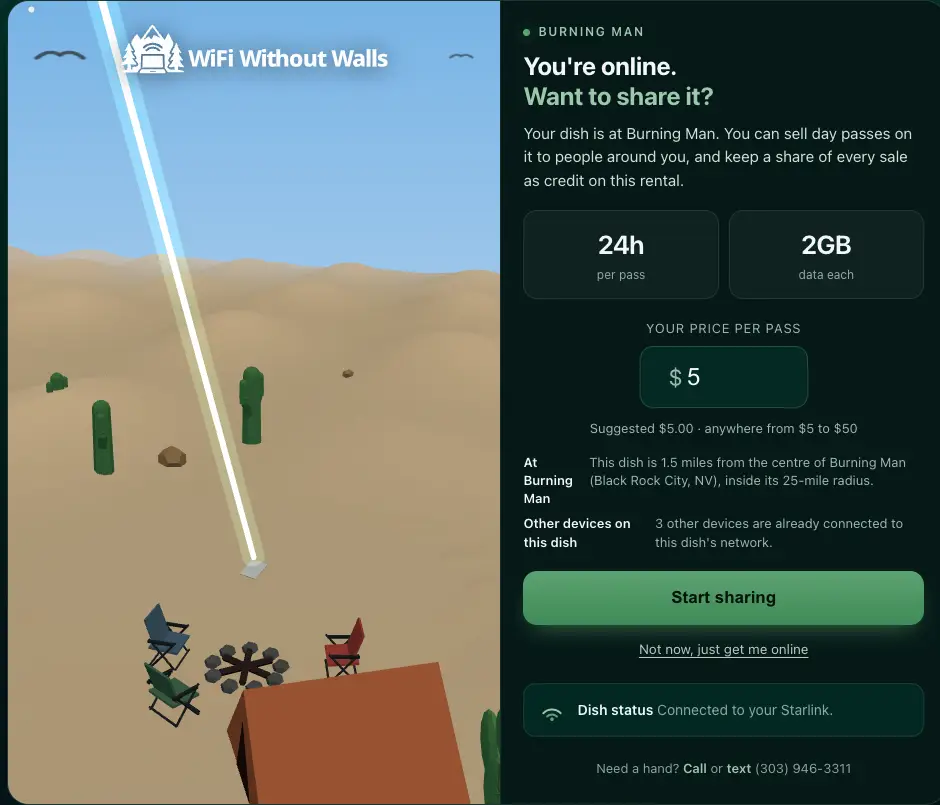
The prompt names the event and the dish's reported distance from its center. You can decline it and continue using your rental.
What a buyer sees
A guest joins your dish's WiFi and reaches the same sign-in page you do. When passes are available for sale, an option below the code entry lets them buy access without your reservation code.
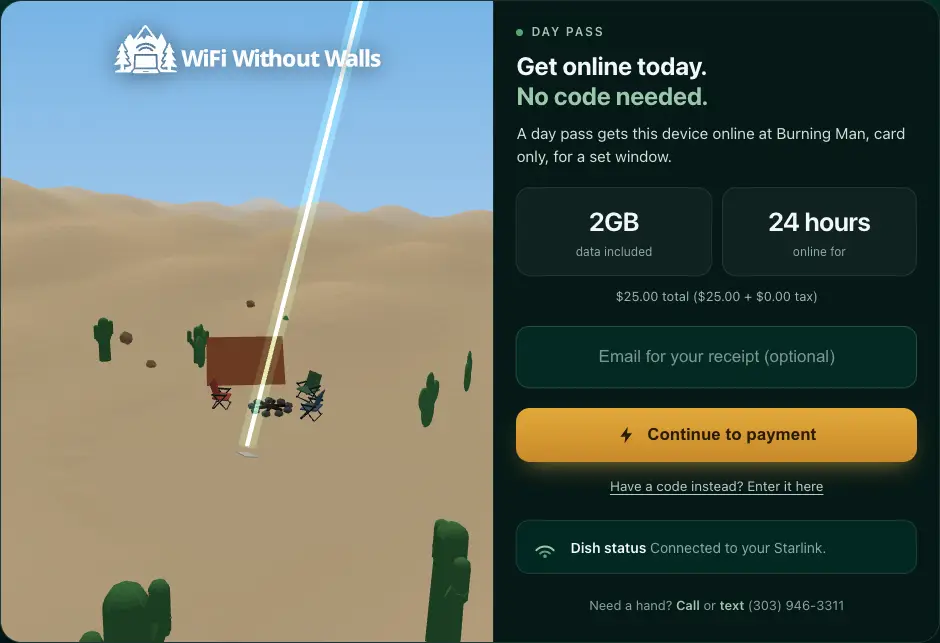
The page quotes the listing's duration, data allocation, and total, including any tax. It loads a card payment form inside the page because the guest's internet access is still restricted. That payment form and the access request both need to reach their online services.
After payment is confirmed and the access grant succeeds, the router lets that device online with an expiry time. The expiry goes to the router with the grant, so ending access doesn't depend on a later scheduled cleanup. The window is capped at the rental's end, even if the listing's nominal pass duration is longer. Stop offering passes before you can no longer provide the advertised window, including when you plan to pack up early.
An unexpired pass follows the same device when it reconnects through another of our active dishes. It doesn't need another purchase, and moving doesn't extend the clock. The buyer still needs to be within WiFi reach of a working dish.
How the sale becomes your share
The split is on net, not on the sticker price. Start with the pass price before tax, subtract the recorded processing fee and the cost assigned to its data allocation, then apply the renter's share percentage. Tax added to the buyer's total stays outside that split.
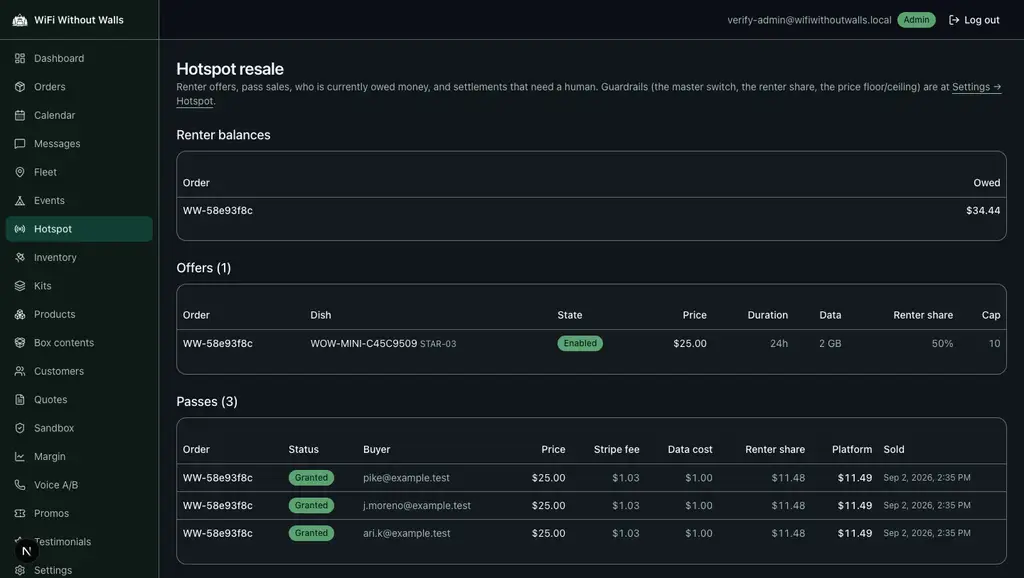
Here is a worked example using a $25 pass, a $1.03 processing fee, $1.00 of data cost for 2GB, and an even split of net. These are example inputs, not a current fee schedule or a report of customer earnings:
- Pass price: $25.00
- Card processing: $1.03
- Data cost (2GB): $1.00
- Net: $22.97
- Your share: $11.48
- Our share: $11.49
The deductions leave $22.97 to divide. Your share is rounded down to a whole cent, and the remainder stays with us, so both shares add back to the net.
The data deduction prices the pass's allocation, rather than measuring exactly what that guest used. The processing deduction uses Stripe's settled fee when available; otherwise an estimated fee is recorded with the sale.
Your percentage is recorded for the listing when you first enable it. Later changes to the platform's default percentage don't rewrite that listing's agreed share.
The minimum price is checked against estimated processing fees, the data deduction, and the platform's lower price bound. Actual fees can differ from the estimate. If the calculated net is zero or negative, your credit from that sale is zero and we absorb the negative net. That protection concerns the sale's split; your own rental charges still apply.
More allowance, shared capacity
Each granted pass's data allocation is added to the rental's included data. For example, a rental with a 50GB allowance plus three granted 2GB passes has 56GB in total. It has 56GB left only if no data has been used. The online view in our portal post shows where remaining data appears.
That increase is a data allowance, not a separate connection. Usage is measured for the dish rather than individually for each guest, so adding the pass allocations doesn't prove every guest stayed within them. Watch the rental's total usage instead of assuming pass sales rule out overages.
Guests use the same satellite link and local WiFi as you. Their downloads can compete with your call or upload. Sky obstructions, congestion, and a weak WiFi signal still matter, however carefully the money is split.
The active-pass limit restricts sales through your listing. It doesn't measure spare bandwidth or guarantee a speed, and your own devices and roaming pass holders also use the connection. If the dish is carrying event operations or an important call, avoiding new pass sales keeps you from adding paying customers to that workload.
Turning off sales stops new purchases through your listing. It doesn't revoke access already granted, and a pass sold on another dish can still roam to yours. The switch cannot instantly clear guest traffic from the network.
Earnings settle against your rental
Your balance is applied to money attached to the same rental, rather than paid out to a separate account. This lets earnings reduce your rental cost, but it puts a limit on what the automatic settlement can return.
At settlement, the system first tries to refund any overage or damage charge made on that order. Remaining credit is then refunded against the booking payment and paid extensions, up to the amount still refundable on each payment. A charge can appear before the offsetting refund; the credit doesn't necessarily prevent the charge from being made.
If there is more credit than those payments can absorb, the remainder stays recorded and raises an alert for staff review. There is no automatic cash payout for that remainder. Don't count it as money already returned to your card.
The balance comes from a ledger that records sale credits separately from settlements. A credit records earnings; a settlement records money returned against your rental. Any recorded reversals reduce the balance too, so the amount earned and the amount still owed can differ.
Why the controls appear at an event
Eligibility depends on an event record with a place, a radius, and dates in the event's local time, matched against the dish's last reported location for your rental.
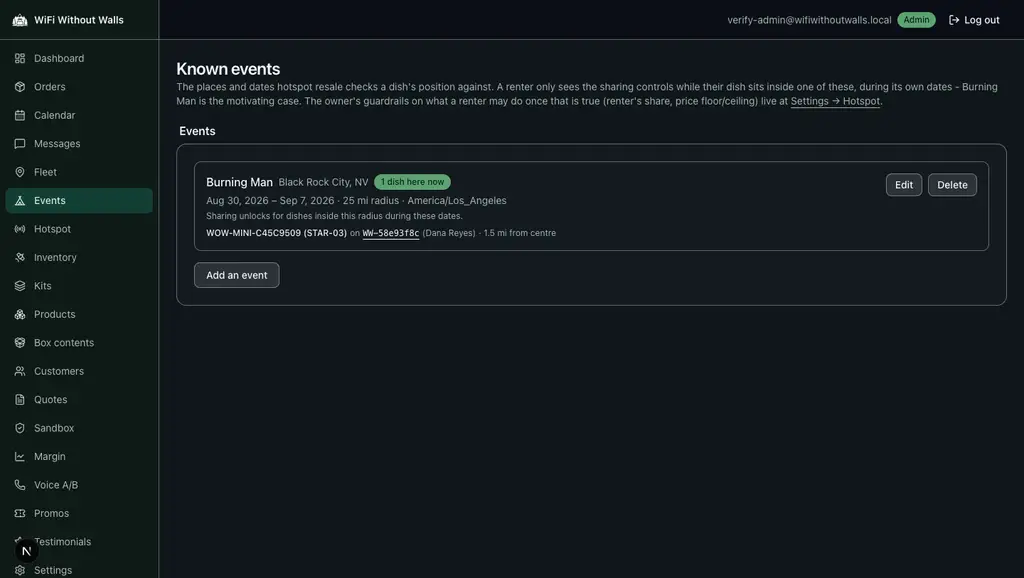
Without a location report for that rental, the system can't confirm the match. When the event window ends or the reported position no longer matches, new purchases stop qualifying. An incorrect event radius or position can still produce a wrong match.
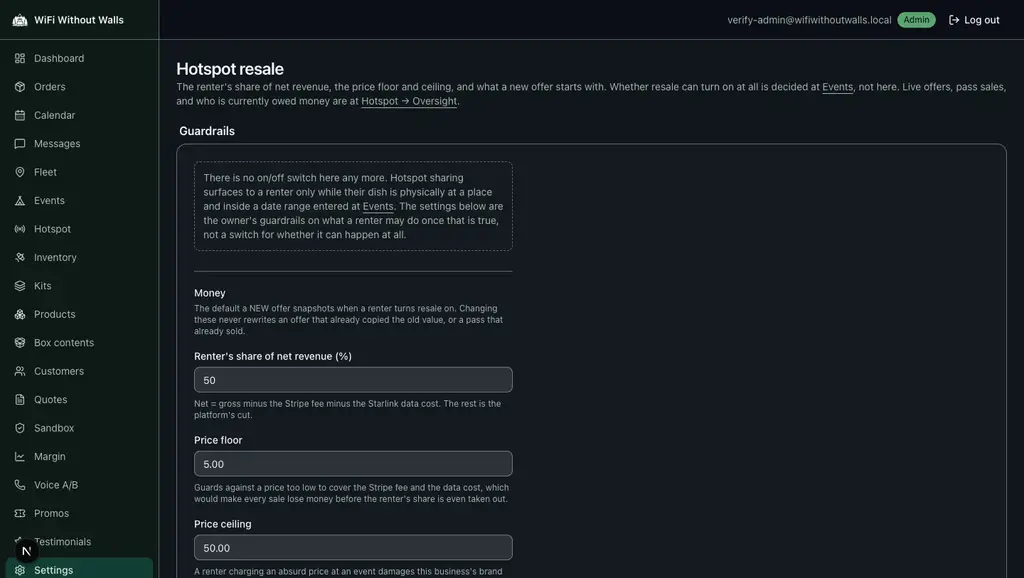
We also set the share percentage for new listings and the allowed price range. The lower bound helps cover the modeled costs; the ceiling limits how much a renter can charge. Neither establishes what a pass is worth to a guest.
The oversight screen brings offers, sales, and renter balances together, including balances that need staff attention.
If your event doesn't appear, ask us about it before planning to sell access.
If the rental only fits your budget after a string of pass sales, the budget is depending on customers you haven't met.